Built for the counter, not adapted to it
A dedicated Windows app that shares one inventory with your storefront and keeps ringing up sales when the internet drops.
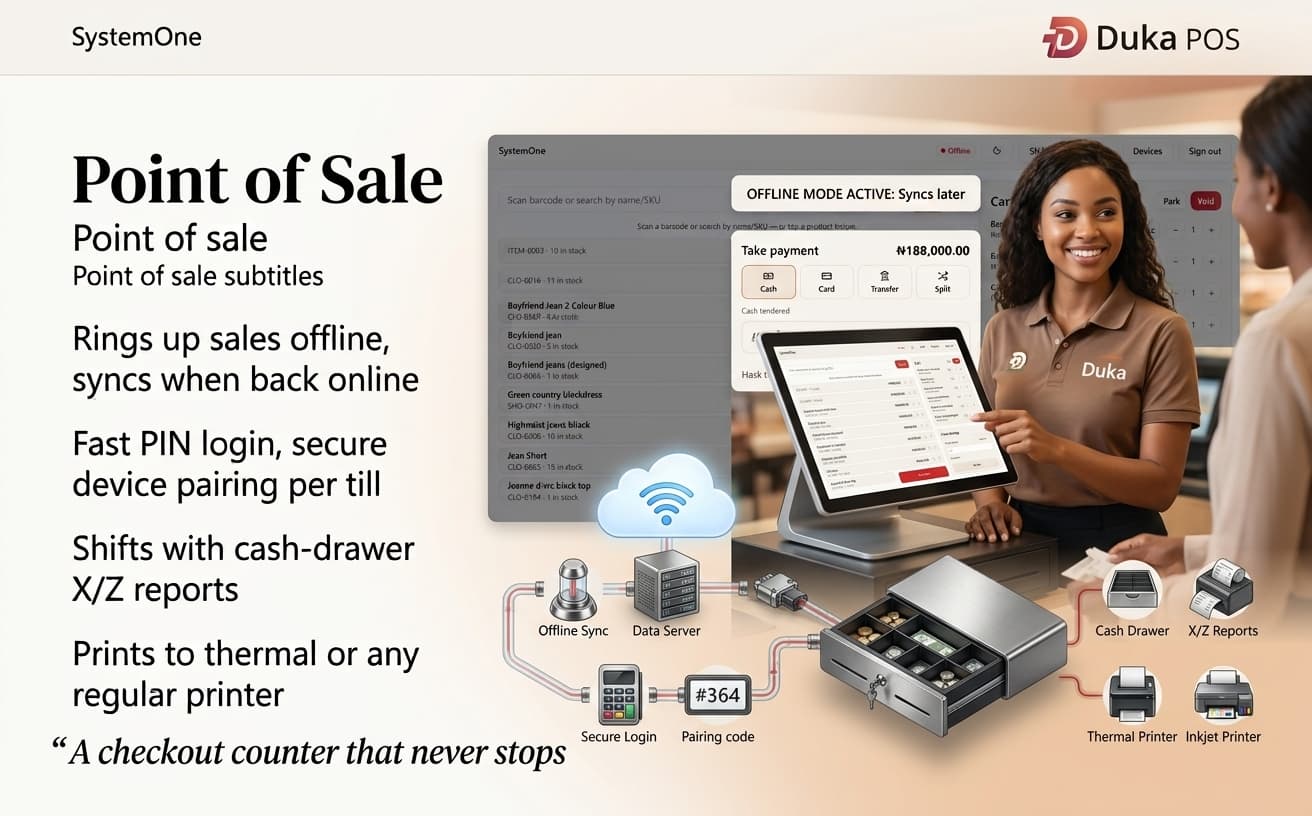
Power cuts and dead spots don't stop a sale
The POS holds every sale locally and syncs the moment it reconnects. Your staff keep serving customers; the numbers catch up on their own. And because it's the same stock as your storefront, the count stays honest across both.
Receipts print to a thermal receipt printer or any regular printer already installed on the till, so there's no special hardware to buy before you can open.
Everything a busy counter needs
The flows a checkout actually runs on, from opening the drawer to closing the shift.
Works offline, syncs later
Sales keep going without a connection and sync automatically the moment you're back online.
Fast PIN staff login
Staff sign in by PIN, separate from admin, with secure device pairing per till.
Shifts with X/Z reports
Open and close a till with cash-drawer X and Z reports, so every shift reconciles.
Print to any printer
Send receipts to a thermal printer or any regular printer already on the till. No special hardware.
Overrides & rounding
Manual price overrides and price rounding for walk-in and cash sales at the counter.
Counter sales & refunds
Full sale and refund flows designed for a busy counter, not adapted from a web screen.
Get the POS on your till
Download the Windows installer and follow the setup guide. Pairing a terminal takes a couple of minutes.